Even a few frozen seconds can disrupt operations in a busy data center. When performance drops, teams often investigate servers, storage, or applications first. Yet in many facilities, the real issue lives inside the cable infrastructure itself. Cable signal interference caused by electromagnetic noise can weaken data signals, increase retransmissions, and quietly slow critical processes like backups and synchronization jobs.
During cabling audits, Camali Corp’s BICSI-certified teams regularly uncover interference tied to how cables are routed, bundled, grounded, or shielded. These problems rarely cause instant failures, which is why they often go unnoticed until performance degradation becomes impossible to ignore. The upside is that interference is a physical issue. It can be identified, tested, and corrected once the source is understood. That makes it essential to understand what causes cable signal interference in data centers and how to eliminate it before uptime and hardware reliability suffer.
The High-Stakes Cost of Interference
Cable interference does more than slow a network. When data signals weaken, packets must be sent again, which increases latency and strains applications. These extra retransmissions also add load to switches and servers, which can shorten equipment life over time. In one large enterprise environment, nightly backups were delayed by hours until the cabling path was corrected and interference was removed.
In many cases, interference can be traced back to how data cables are routed near power sources. When power and network cabling share the same pathways, electrical noise can disrupt signal quality and reduce overall performance.
Why Interference Gets Missed
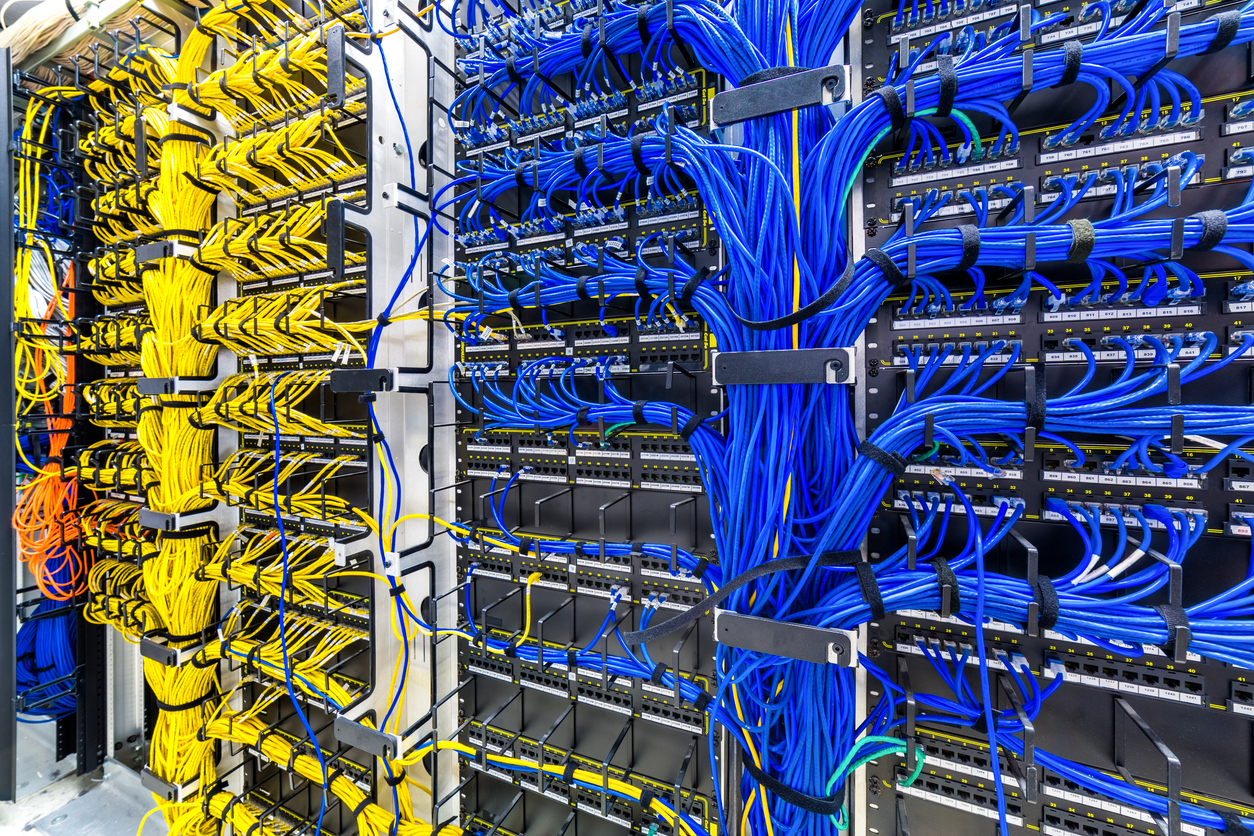
Most monitoring tools focus on software and system performance rather than the physical network layer. Because interference is a cabling issue, it often goes undetected until users notice slowdowns or failures. Regular cabling audits help uncover these hidden risks early, reducing downtime and preventing unnecessary hardware stress. Poor cable management is a common contributor, as disorganized cabling can hide physical problems while increasing the risk of heat buildup, errors, and long-term reliability issues.
7 Common Sources of Cable Noise
1. Power Cables Too Close
Cable interference often starts when data cables run too close to power lines, especially during long parallel runs. High-voltage feeders can induce electrical noise into nearby data pairs and degrade signal quality. To reduce this risk, data and power cabling should maintain at least six inches of separation whenever possible, or cross each other at 90 degrees.
2. Poor Grounding & Bonding
Improper grounding is another frequent cause of interference. When racks or pathways are connected to multiple ground points, loops can form and collect unwanted electrical noise. Following the single-point grounding rule outlined in ANSI/TIA-607-D helps create a stable reference path and limits interference.
3. Unshielded Patch Cords Near Wi-Fi 6E Gear
High-frequency wireless access points, including newer Wi-Fi systems operating in higher bands, can leak energy into nearby copper cabling when shielding is thin or missing. Unshielded patch cords placed too close to this equipment are especially vulnerable to signal disruption.
4. Over-Bundling & Tight Velcro
Over-bundled cables or tightly cinched Velcro straps can distort cable geometry and increase near-end crosstalk. Keeping bundles under 24 cables and securing them loosely helps preserve spacing and maintain signal performance.
5. Mixed-Category Links
A single lower-category patch cord inside a higher-rated channel can raise insertion loss and invite interference. Camali Corp’s structured cabling services help prevent this issue by ensuring every component in the link meets the same performance standard.
6. Crowded Switch Ports
Densely packed switch ports and side-by-side transceiver modules can increase alien crosstalk in high-density environments. Using blank panels or staggered layouts helps reduce signal interaction between adjacent ports.
7. Heat & Humidity
Environmental conditions also affect cable performance. High humidity can introduce moisture into cable materials, increasing impedance and leading to attenuation and data errors over time. Managing temperature and moisture levels helps protect long-term network reliability.
Quick 15-Minute Interference Check
A short interference check can uncover physical network issues before they cause downtime. Start by visually confirming that network and power trays are not closer than the width of a coffee cup. When pathways are too close, electrical noise is more likely to affect data signals.
Next, walk the room with a basic EMI meter to identify elevated fields. Hotspots above 3 milligauss often require action. Test one suspect link with a Fluke DSX and review near-end and alien crosstalk results to confirm interference.
Packet loss can provide another signal. Ping tests showing more than two percent packet loss often point to noise rather than congestion. Grounding should also be verified by checking rack-lug resistance, which should remain below 0.1 ohms. Per IEEE standards on grounding and bonding, improper grounding can act like a radio antenna and increase electromagnetic interference between power and data cabling.
Proven Fixes From the Field
| Problem | Fast Fix | Long-Term Upgrade |
| Power and data trays stacked | Add a 6–8 in air gap or steel divider | Reroute data into separate raised tray |
| Unshielded patch cords | Swap for F/UTP | Convert full run to S/FTP or fiber |
| Poor grounding | Tie all racks to single-point bar | Full facility ground grid per IEEE-1100 |
| Mixed-category links | Replace the weak link | Standardize on Cat6A shielded |
Camali Corp Field Example
During routine audits, our teams often find cable interference caused by data and power cabling sharing paths or by mixed-category links. Applying fast fixes, such as separating trays, swapping unshielded patch cords, and ensuring proper grounding, immediately improves signal quality and reduces retransmissions. Long-term upgrades, including rerouting data into dedicated trays and standardizing on shielded Cat6A links, provide lasting protection against interference. Facilities that follow these steps see more reliable backups, lower packet loss, and longer equipment life, while structured cabling services and proper cable management help maintain performance over time.
Key Takeaways & Next Steps
Cable interference is common but preventable. Keep power and data separated, ground uniformly, use shielded or fiber links, and test before trouble spreads. Need expert help redesigning your cabling plan? Our consulting and design team is ready.