The modern world runs on electricity. From the critical servers in a bustling data center to the point-of-sale system in a local shop, an uninterrupted power supply isn’t just a convenience, it’s the lifeblood of operations. But what happens when that vital flow of power flickers, surges, or vanishes altogether? That’s where an often-unsung hero steps in: the Uninterruptible Power Supply (UPS).
If you’ve ever wondered “What is a UPS system?” or “How does it actually work to protect my valuable equipment?”, you’re in the right place. We’re going to break it down in simple terms, so you can understand this crucial piece of technology and why it’s non-negotiable for any business that values its data, hardware, and continuity.
The Unseen Hero: Why Every Second of Uptime Matters
Imagine this: your team is in the final push for a critical project deadline. Data is being processed, reports are being generated, and communication lines are buzzing. Suddenly, the lights flicker, screens go dark, and an unnerving silence descends. The power is out.
The Nightmare Scenario: When the Power Goes Out
For a business, an unexpected power outage is more than just an inconvenience. It can mean:
Lost Data: Unsaved work can vanish in an instant. Databases can become corrupted, leading to hours, if not days, of recovery efforts and potential permanent loss.
Damaged Equipment: Quick power cuts can hurt your equipment. Computers might break, and machines can stop working for good.
Operational Standstill: If your systems are down, your business is down. This means lost productivity, missed sales opportunities, and an inability to serve your customers.
Reputational Harm: Consistent downtime can erode customer trust and damage your brand’s reputation for reliability.
The cost of downtime is staggering. Industry research frequently highlights that even a few minutes of unplanned downtime can cost businesses thousands of dollars, with critical sectors like finance and healthcare facing even higher stakes. IT downtime can escalate rapidly depending on the size and nature of the business.
More Than Just Blackouts: The Hidden Power Problems Lurking
A complete blackout is the most visible power threat, but it is far from the only risk facing a data center. Utility power is often affected by disturbances that can quietly damage or suddenly destroy sensitive electronics.
Voltage sags, often called brownouts, cause temporary drops in voltage that can lead to system instability and equipment malfunction. Voltage surges or spikes, frequently triggered by lightning or large equipment cycling on and off, can overload circuits and cause immediate hardware failure. Line noise, including electromagnetic interference (EMI) and radio frequency interference (RFI), can disrupt device performance and corrupt data over time. Frequency variation, when power drifts from the standard 60 Hz in the United States, can place added stress on critical infrastructure.
Without protection, your critical systems are constantly vulnerable to these invisible threats. This is where the UPS system proves its indispensable value.
What Is a UPS System? The Basics Made Simple
So, what is this guardian of your power supply?
UPS Meaning: Backup Power When You Need It
A UPS, or Uninterruptible Power Supply, is a device that gives your equipment power when the main power goes out. It uses a built-in battery to keep things running for a short time, just enough to shut down safely or switch over to another backup, like a generator.
Think of a UPS like a safety net. If the power suddenly cuts off, it jumps in to keep your computers or machines from crashing.
The Core Components: What’s Inside a UPS?
While designs vary, most UPS systems contain a few key components working in concert:
- Rectifier/Charger: This component converts incoming Alternating Current (AC) power from the utility outlet into Direct Current (DC) power. This DC power is then used to charge the UPS battery and, in some UPS types, to supply the inverter.
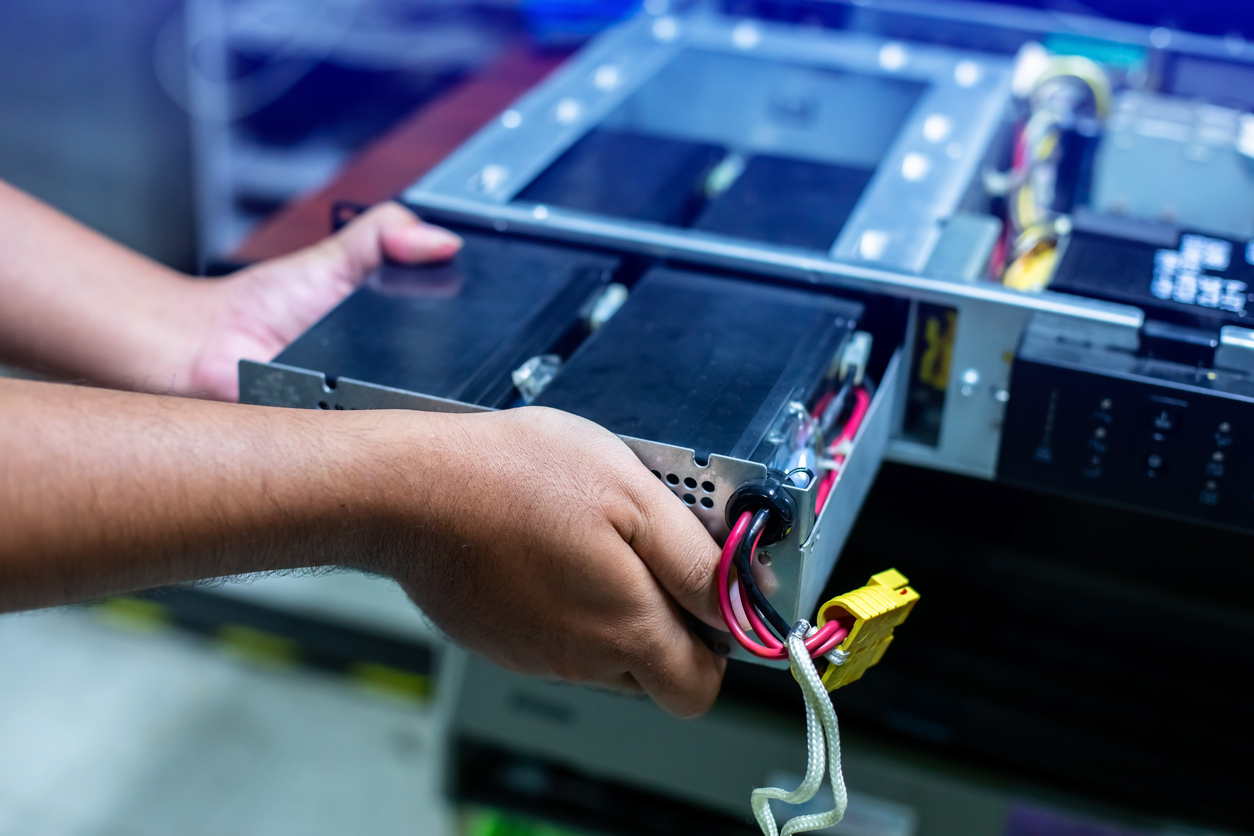
- Battery: This is the heart of the UPS. It stores the DC energy that will be used to power your equipment during an outage. Battery capacity determines how long the UPS can supply backup power.
- Inverter: When utility power fails, the inverter takes the DC power from the battery and converts it back into clean, stable AC power that your connected equipment can use.
- Static Bypass Switch (in some types): This allows the power to go around the main areas of the UPS directly to the load if the UPS itself has an internal issue or is overloaded, make sure the equipment can still run if possible (though without the UPS protection).
Understanding these parts help in grasping how the system functions as a whole.
How Does a UPS System Work? The Magic Behind Continuous Power
The operation of a UPS might seem like magic, but it’s a well-orchestrated electrical process. Here’s a step-by-step look at what happens:
Step 1: Normal Operation – The Watchful Guardian
When your utility power is flowing correctly, the UPS is in a vigilant standby mode. It allows the AC power from the wall outlet to pass through to your connected devices. At the same time, the rectifier component is keeping the internal battery fully charged and ready for action. Depending on the type of UPS, it might also be actively “conditioning” the power, smoothing out minor fluctuations to provide a cleaner supply to your equipment.
Step 2: Power Outage Detected – The Instant Switch
The moment the UPS detects a problem with the incoming utility power, whether it’s a complete blackout, a significant voltage sag, or a dangerous surge, it springs into action. This switch from utility power to battery power is incredibly fast, typically occurring within milliseconds. This fast switch is important. Even a short power loss can make servers restart, damage data, or stop important processes.
Step 3: Battery Power Engaged – Your Equipment Stays On
Once the switch occurs, the UPS’s battery begins to discharge its stored DC power. The inverter immediately takes this DC power and converts it into the stable AC power that your connected computers, servers, or other critical devices need to operate. Your equipment continues to run as if nothing happened, completely unaware of the chaos on the utility line. The duration for which the UPS can supply this battery power depends on the UPS’s capacity (often measured in Volt-Amps or VA) and the total load in wattage of the devices plugged into it.
Step 4: Power Restored – Back to Normal & Recharging
When the utility power is restored and stable, the UPS detects this and smoothly switches your equipment back to running on utility power. At the same time, the rectifier/charger component gets back to work, charging the battery so it’s prepared for the next potential outage.
This seamless cycle of monitoring, switching, supplying, and recharging is what makes a UPS an indispensable tool for power reliability.
Not All Heroes Wear the Same Cape: Common Types of UPS Systems
UPS systems come in several types, each offering different levels of protection and features. Understanding these types is key to choosing the right solution for your needs. As we often advise our clients at Camali Corp, matching the UPS technology to the criticality of the equipment it protects is paramount.
Standby UPS (Offline UPS): Basic Protection for Everyday Needs
A standby UPS is the most basic and cost-effective option. During normal conditions, it passes utility power directly to connected equipment while filtering minor surges. When a power outage occurs, it quickly switches to battery power.
This type works best for individual PCs, workstations, and point-of-sale systems. It is affordable and compact, but it provides limited power conditioning and has a brief transfer time when switching to battery.
Line-Interactive UPS: Smarter Protection for Sensitive Equipment
A line-interactive UPS offers improved protection. It regulates minor voltage fluctuations using an internal autotransformer, correcting brownouts and over-voltages without switching to battery power. The battery is only used during severe sags or complete outages.
This makes it well suited for small servers, networking hardware, and business workstations. It reduces battery wear and improves voltage stability, though it still has a short transfer time and may produce a simulated sine wave that is not ideal for highly sensitive equipment.
Double-Conversion UPS (Online UPS): The Ultimate Fortress for Critical Systems
A double-conversion UPS provides the highest level of protection. It continuously converts incoming AC power to DC and then back to clean AC power. Because equipment always runs on regenerated power from the inverter, there is zero transfer time during an outage.
This design is ideal for data centers, medical equipment, telecommunications systems, and other mission-critical environments where even minor power disturbances are unacceptable. While it typically costs more and may consume slightly more energy, it delivers the most consistent and reliable protection available.
Which UPS Type is Right for You?
Choosing the right UPS involves assessing the sensitivity of your equipment, the reliability of your local power grid, and your budget. For businesses with important equipment, like the data centers and IT systems Camali Corp helps design and maintain, a double-conversion UPS is often the standard. For less critical applications, a line-interactive or even a standby UPS might suffice.
The Real-World Benefits: Why Investing in a UPS is a Smart Move
Beyond the technical workings, the tangible benefits of a UPS system translate directly to your bottom line and operational stability.
Preventing Costly Data Loss and Corruption
This is perhaps the most immediate and critical benefit. A UPS gives your systems the chance to shut down gracefully, ensuring all in-progress data is saved and databases remain intact. No more lost work or corrupted files due to a sudden power cut.
Protecting Your Valuable Equipment from Damage
Constant exposure to power surges, sags, and spikes can shorten the lifespan of your electronics or cause immediate failure. A UPS acts as a shield, absorbing these damaging fluctuations and providing clean, consistent power, thus extending the life of your expensive hardware.
Ensuring Business Continuity and Productivity
Every minute your systems are down is a minute your employees can’t work, your customers can’t be served, and your revenue-generating activities halt. A UPS keeps essential systems running through short outages and provides the bridge to generator power for longer ones, minimizing disruption and maintaining productivity. As experts often note, “In an era where efficiency and productivity are kings, and sustainability is the crown jewel, it’s evident that the union of UPS systems and smart buildings stands as the epitome of technological development.” (Quote adapted from Secure Power Blog)
Peace of Mind: Knowing You’re Prepared
There’s immense value in knowing that your critical operations are protected against unforeseen power events. With a UPS, you don’t have to worry. You can stay focused on your work without the constant worry of power-related disasters.
Beyond the Basics: Considerations for Your UPS Strategy with Camali Corp
Implementing a UPS solution isn’t just about buying a box. It’s about integrating a critical component into your overall power strategy.
Sizing Your UPS: Matching Power to Your Needs
One of the most crucial steps is correctly sizing your UPS. This involves calculating the total power load, in watts or VA, of all the equipment you intend to protect and determining the desired runtime. Undersizing can lead to overloads and failure, while oversizing can be an unnecessary expense. At Camali Corp, we help clients analyze their load requirements to specify the optimal UPS capacity.
The Importance of Professional Installation and Maintenance
Especially for larger and more complex systems like those found in data centers, professional UPS installation and maintenance are vital. Proper installation ensures the UPS operates safely and effectively. Regular maintenance, including battery checks and replacements, is essential to guarantee the UPS will perform when needed. Just like a car, a UPS needs periodic servicing to remain reliable. “In our work with clients,” as our engineers at Camali Corp often say, “we’ve seen firsthand how proactive maintenance prevents major headaches down the line. A neglected UPS is almost as risky as no UPS at all.”
Thinking Long-Term: Scalability and Future Growth
Your business isn’t static, and neither are your power needs. When selecting a UPS, consider future growth. Modular UPS systems offer scalability, allowing you to add capacity as your requirements expand. Planning for this from the outset can save significant costs and complexity later. This foresight is a key part of the comprehensive electrical services we offer, ensuring your infrastructure can evolve with your business.
An Uninterruptible Power Supply is more than just a battery backup. It’s a strategic investment in the reliability, resilience, and continuity of your operations. By understanding what a UPS system is, how it works, and the different types available, you can make informed decisions to protect your critical assets. And when it comes to designing, implementing, and maintaining these vital systems, partnering with experienced professionals like Camali Corp ensures your power infrastructure is robust, reliable, and ready for anything.
Don’t wait for a power problem to highlight the need for a UPS. Safeguard your productivity and peace of mind today.